
Referees are the most critical component in the Chambers ranking process, period. This is why it’s such a shame if firms leave them to the last minute and neglect the post-submission process. To help firms manage their referees better and to enable greater transparency, Chambers launched the Referee Management Tool in August 2022 — a game changer for those of us dealing with submissions daily. Lawyers who utilized the information from the Referee Management Tool effectively were able to get more extensive client feedback, which is critical in demonstrating the strongest case possible for elevated rankings or identification as “potentials”.
Key and *NEW* Features of the Referee Management Tool
The tool provides comprehensive oversight of your referee management process. It shows when research starts and ends, updates on Chambers’ progress in attempting to get in contact with your referees as the research process advances, and flags issues such as invalid emails, the 3-month rule, and unsubscribed referees. While the tool is incredibly useful, it is not without its quirks. The product team at Chambers is constantly working to fix bugs and develop new features. The latest update includes the “ALL REFEREES” feature, allowing users to see all referees listed, their contact rate, and to search by lawyer name or referee name. You can also see a more detailed view of their communication history when acting as a referee for your firm in the current and past years, which makes it much easier to manage any referees you are using for multiple submissions. Plus, the data is downloadable at every stage, simplifying life for those managing extensive referee spreadsheets.
Common Problems and Solutions
Problem: Invalid Email

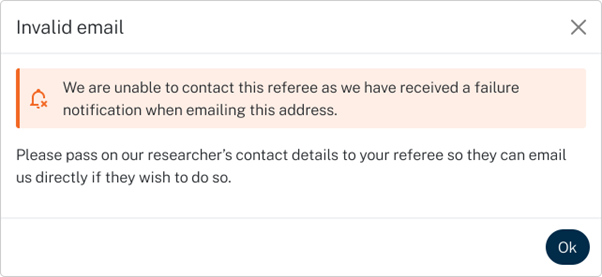
The email sent by Chambers bounced back. The email address might be technically correct, but the problem could be due to a firewall or other blockers.
Solution:
- Ask your referees in advance to add @chambers.com to their safe senders list.
- Share the Chambers researcher’s email with your referee so they can make contact directly.
- Government and banks email addresses may often have stricter security settings. If using referees from organisations such as these, the above efforts can be very useful, or you could also consider if the referee has an alternative email that might be used as a last resort.
Problem: Unsubscribed

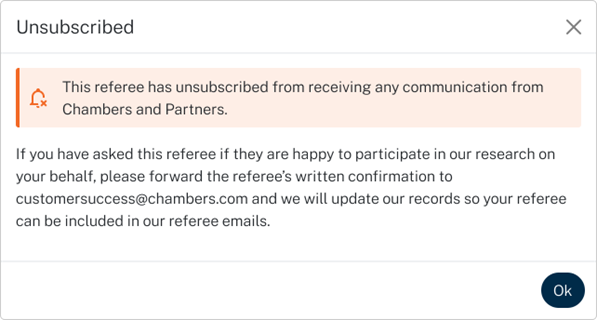
This referee clicked the unsubscribe button on a Chambers correspondence at some point (could be yesterday or 5 years ago) and because of this Chambers will not send further emails to this person without their direct consent.
Solution:
- If you asked and your referee is willing to participate, forward their written confirmation to costumersuccess@chambers.com to have them re-added to the list. It is good practice to always email your referees asking them to confirm their consent before putting them forward to Chambers. If you do this, any referees that are on the ‘unsubscribed’ list can be quickly dealt with as you will already have the written confirmation you need to send to Chambers to get your referee back on the email list. This can allow you to remove any concerns well before research begins. This practice is also widely appreciated by referees who are more likely to respond and be prepared to share detailed feedback if they have been consulted in advance.
Problem: Contacted 3-month rule (green)
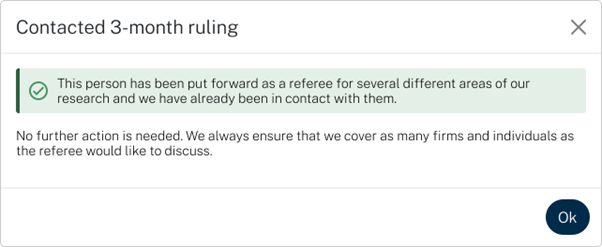
This person has been put forward as a referee for several different areas of the research and Chambers have already been in contact with them in the last 3 months about a different practice area (specifically on the date listed in the “latest update” column). This referee WILL NOT be emailed again to request additional feedback for the current practice area.
Solution:
- Plan ahead! Use the “ALL REFEREES” feature to check the past (and potential present) 3-month rule status for each practice area. This is a valid recommendation across the board, since the referees sometimes stay the same from year to year with minor additions or removals, you want to take into account their past contact status (contacted, 3-month rule, unsubscribed, etc.). Past referees who responded are more likely to receive and respond to emails again. Conversely, consider replacing those who did not respond or speak to them directly.
- Replace the referee.
- It is also possible that you do not need to do anything – in many cases where referees have already been contacted under the 3-month rule, the Chambers research team will have attempted to gather feedback from them about as many firms and practice areas as possible, therefore the referee may have already provided feedback on the current practice area ahead of time.
Problem: In Progress 3-month rule (blue)
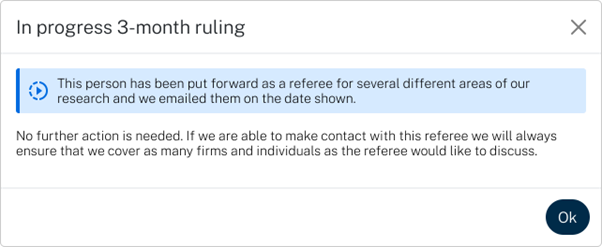
Same as above, the difference is the referee has not yet responded in this case. Nevertheless, they will not be emailed again and the recommendation remains the same.
Ideal Response: Contacted

Perfect, nothing to do here. Chambers has been able to make direct contact with your referee and will ensure they capture as much feedback as the referee is willing and able to share.
Problem: not all the referees you submitted are listed

Solution: if all referees are submitted properly, the best solution is to wait. If research starts and the list is still not fully updated, you may want to contact the relevant researcher.
The Ultimate Solution
- Get the Referee Management Tool: Ensure your firm has access to this essential tool.
- Verify Referees Before Submission: Confirm their willingness to participate before adding them.
- Upload Early: Submit your referees as early as possible, ideally by the first deadline in your jurisdiction. This allows you to identify and resolve issues before research starts.
- Stay in Touch: Contact your referees when research begins to remind and guide them.
By following these steps and leveraging the enhanced features of the Chambers Referee Management Tool, you can streamline the process and improve your chances of a successful submission.